Coworking vs Cafe vs Airbnb: Where Should Digital Nomads Work?
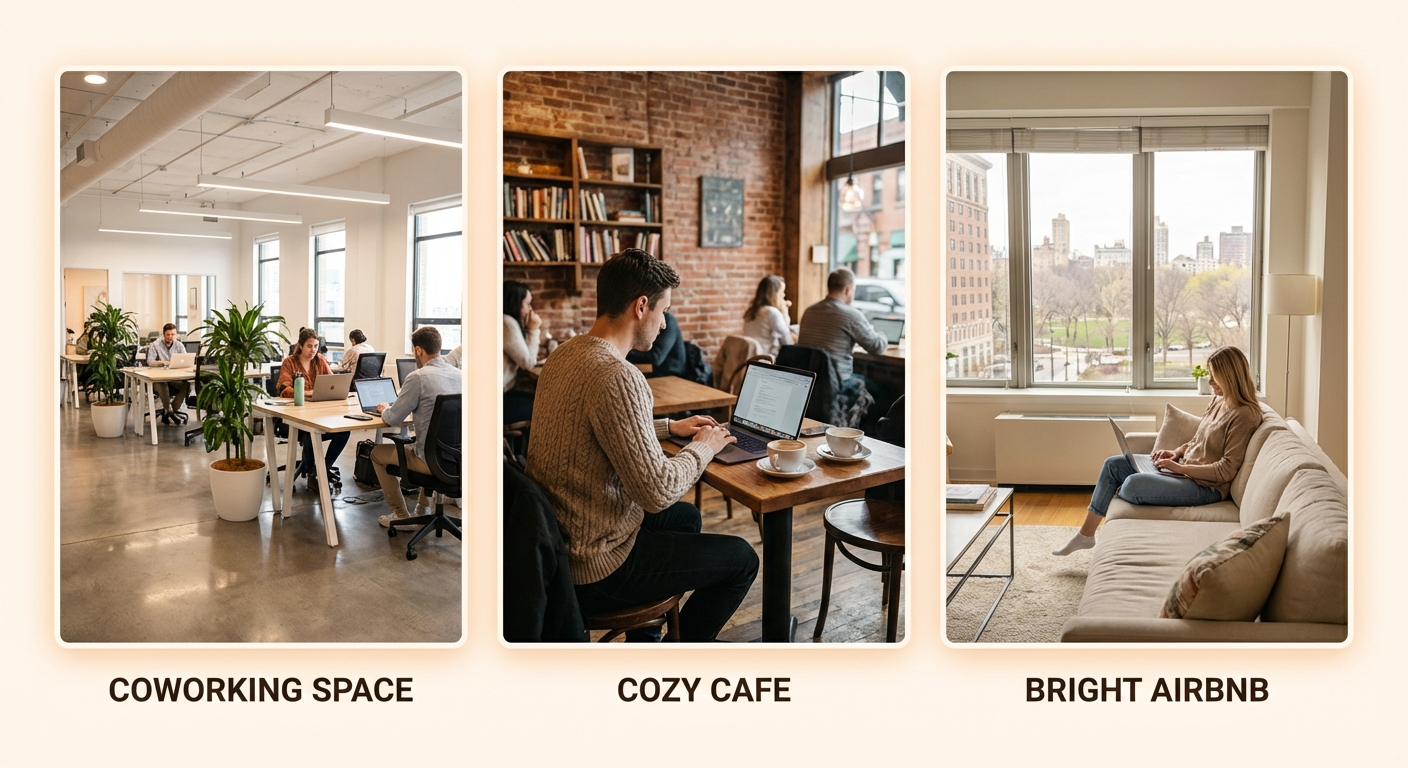

Every digital nomad faces the daily question: where should I work today? Coworking spaces promise reliability but cost money. Cafes are everywhere but unpredictable. Your accommodation is free but potentially isolating.
Each option has real trade-offs. This guide helps you choose the right workspace for your situation—and build a strategy that combines all three.
For coworking deep-dives, see our complete coworking guide and global chains comparison.
Quick Comparison
Workspace Options Compared
The Three Options Explained
Coworking Spaces
What you get:
- Dedicated workspace designed for productivity
- Fast, reliable internet (typically 50-200+ Mbps)
- Professional amenities (desks, chairs, meeting rooms)
- Community of remote workers
- Clear work/life separation
What you pay:
- $100-400/month typical (varies by region)
- $15-40/day for day passes
Cafes
What you get:
- Ubiquitous availability (every city has cafes)
- Flexible hours and locations
- Change of scenery whenever you want
- Social atmosphere
- Coffee and food on-site
What you pay:
- $5-15/day in drinks and food
- Highly variable wifi quality
- Potential awkwardness over table time
Accommodation (Airbnb, Hotel, Apartment)
What you get:
- No additional cost beyond rent
- Complete privacy for calls
- Work any hours
- Your own space to customize
- Zero commute
What you pay:
- Potential isolation
- Wifi dependent on landlord
- Work/life boundary challenges
- May lack proper workspace
For finding accommodation optimized for remote work, see our Complete Digital Nomad Accommodation Guide.
Detailed Comparison
Internet Reliability
| Factor | Coworking | Cafe | Accommodation |
|---|---|---|---|
| Speed | 50-200+ Mbps | 5-50 Mbps typical | Highly variable |
| Reliability | Enterprise-grade | Variable | Depends on provider |
| Backup connection | Often yes | Rarely | Up to you |
| Video call quality | Excellent | Risky | Can be good |
Winner: Coworking
Coworking spaces invest in business-grade internet because it's their core product. Cafes treat wifi as an amenity. Accommodation internet is whatever the landlord arranged.
Reality check: One bad call over cafe wifi can cost you more (client relationship, professionalism) than a month of coworking.
Cost Analysis
Monthly comparison (Southeast Asia example):
| Option | Direct Cost | Hidden Costs | Total |
|---|---|---|---|
| Coworking | $120 | Transit: $20 | $140 |
| Cafe | $0 | Coffee/food: $150 | $150 |
| Accommodation | $0 | Upgrade for wifi: $50? | $0-50 |
Monthly comparison (Western Europe example):
| Option | Direct Cost | Hidden Costs | Total |
|---|---|---|---|
| Coworking | $300 | Transit: $50 | $350 |
| Cafe | $0 | Coffee/food: $200 | $200 |
| Accommodation | $0 | Upgrade for wifi: varies | $0-100 |
Winner: Accommodation (if wifi is good)
Working from accommodation is "free"—but only if you'd pay that rent anyway and wifi is adequate. Cafe working appears cheap but $5-10/day in purchases adds up.
Productivity
| Factor | Coworking | Cafe | Accommodation |
|---|---|---|---|
| Noise level | Moderate, controlled | High, variable | You control |
| Distractions | Social, manageable | High (music, people) | Personal (bed, kitchen) |
| Ergonomics | Professional setup | Usually poor | What you arrange |
| Focus environment | Designed for work | Not designed for work | Depends on setup |
Winner: Depends on your personality
- Extroverts who need accountability: Coworking
- Those who focus well with background noise: Cafe
- Introverts with good discipline: Accommodation
Privacy and Calls
| Factor | Coworking | Cafe | Accommodation |
|---|---|---|---|
| Video calls | Meeting rooms/booths | Basically impossible | Excellent |
| Phone calls | Possible in booths | Awkward | Excellent |
| Confidential work | Caution needed | Impossible | Excellent |
| Screen privacy | Some concern | High concern | None |
Winner: Accommodation
If you take frequent calls or handle sensitive information, accommodation is clearly best. Coworking meeting rooms work but require booking and may cost extra.
Community and Networking
| Factor | Coworking | Cafe | Accommodation |
|---|---|---|---|
| Meet other nomads | High probability | Low/random | None |
| Professional networking | Events, introductions | Unlikely | None |
| Combat isolation | Excellent | Some | Does not address |
| Collaboration potential | High | Low | None |
Winner: Coworking
One of coworking's main value propositions is community. Some spaces have vibrant communities; others are quiet. But cafes and accommodation provide zero intentional community.
Flexibility
| Factor | Coworking | Cafe | Accommodation |
|---|---|---|---|
| Change locations daily | Some, with day passes | Complete freedom | One location |
| Working hours | Often 24/7 | Business hours | Unlimited |
| Commitment | Monthly typical | None | None |
| Availability | Must be member | Everywhere | Always |
Winner: Cafe
Cafes provide maximum flexibility—any cafe, any time, no commitment. Accommodation is one location. Coworking requires membership (though day passes help).
When to Use Each Option
Use Coworking When:
- You have important video calls (reliable internet, meeting rooms)
- You need to focus deeply (designed for productivity)
- You're staying 2+ weeks (monthly membership value)
- You want community (networking, social contact)
- Your accommodation wifi is terrible
Use Cafes When:
- You want change of scenery (different neighborhoods, vibes)
- You're doing light work (email, reading, planning)
- You're exploring a new city (work + explore)
- Short stay (not worth coworking membership)
- You need flexibility (no schedule, spontaneous)
Work From Accommodation When:
- You have multiple calls (privacy essential)
- You work on sensitive information (confidentiality)
- Your wifi is excellent (speed-tested and reliable)
- You have good workspace setup (desk, chair, monitor)
- You're highly self-disciplined (won't nap, won't procrastinate)
Hybrid Strategy: The Best Approach
Most successful nomads don't pick one—they combine all three strategically.
Sample Weekly Schedule
| Day | Location | Reasoning |
|---|---|---|
| Monday | Coworking | Start week with focus, community |
| Tuesday | Accommodation | Heavy call day |
| Wednesday | Coworking | Deep work, networking lunch |
| Thursday | Cafe (morning) + Accommodation (afternoon) | Variety + calls |
| Friday | Cafe or Accommodation | Lighter day, flexibility |
Strategy by Work Type
For client calls: Book coworking meeting room OR work from accommodation
For deep focus work: Coworking (designed for it) OR accommodation (if disciplined)
For admin/email: Anywhere—cafe is fine
For creative work: Whatever environment inspires you
Budget-Conscious Hybrid
If coworking monthly is too expensive:
- Primary: Work from accommodation (free)
- Calls: Coworking day passes or meeting room only
- Variety: Cafe once or twice weekly
- Cost: $30-60/month instead of $150+
Making Each Option Work Better
Optimizing Coworking
- Test with day pass before monthly commitment
- Find quiet hours if open-plan is distracting
- Book meeting rooms in advance for important calls
- Use community events for networking value
- Negotiate if staying 3+ months
Optimizing Cafe Working
- Scout before sitting: Check outlet availability, noise level, wifi speed
- Go during off-peak: Early morning or mid-afternoon
- Rotate cafes: Don't overstay welcome at one spot
- Spend reasonably: $5-10/visit is fair
- Bring backup: Mobile hotspot for when wifi fails
- Choose work-friendly cafes: Look for outlets, tables, laptop users
Optimizing Accommodation Working
- Test wifi before booking: Speed tests, ask previous guests
- Create dedicated workspace: Not the bed or couch
- Separate work/life zones: Even in studio apartment
- Get ergonomic basics: Laptop stand, external keyboard if long-term
- Set strict hours: Prevent work bleeding into all time
- Get out sometimes: Combat isolation with coworking days or cafes
The Cafe Working Deep-Dive
Cafe working deserves extra attention because it's so common but so variable.
Finding Work-Friendly Cafes
Signs of a good work cafe:
- Multiple people on laptops
- Available outlets
- Tables (not just couches)
- Reasonable noise level
- Staff who seem okay with laptop workers
Signs to avoid:
- "No laptops" or time limit signs
- Only bar seating
- Very small, personal service style
- Extremely loud music
- Staff glaring at laptop users
Cafe Etiquette
| Rule | Why |
|---|---|
| Buy something hourly | You're renting the table |
| Don't take calls at table | Disturbs everyone |
| Be ready to leave if crowded | Don't hog peak-hour tables |
| Tip well (where applicable) | They remember good customers |
| Don't use multiple outlets | Share resources |
Cafe Backup Plan
Always have a backup for when cafe wifi fails:
- Mobile hotspot / phone tethering
- Know nearby alternatives
- Coworking day pass as emergency option
Real Cost Comparison: Case Studies
Case Study 1: Chiang Mai, Thailand
Nomad Profile: Software developer, 40 hrs/week, moderate calls
| Option | Setup | Monthly Cost |
|---|---|---|
| Coworking | CAMP (hot desk) | $100 |
| Cafe | Various, 5 days/week | $80-120 |
| Accommodation | Condo with good wifi | $50 (upgrade) |
| Hybrid | Cowork 3x + Cafe 2x/week | $75 |
Recommendation: Coworking offers best value given excellent local options and need for reliable internet for dev work.
Case Study 2: Lisbon, Portugal
Nomad Profile: Marketing freelancer, 30 hrs/week, many calls
| Option | Setup | Monthly Cost |
|---|---|---|
| Coworking | Heden or similar | €250-350 |
| Cafe | Various | €150-200 |
| Accommodation | Apartment with fiber | €50-100 |
| Hybrid | Accommodation + cowork 4 days | €180 |
Recommendation: Accommodation primary (good for calls) + occasional coworking for community and variety.
Case Study 3: Mexico City
Nomad Profile: Writer/content creator, 35 hrs/week, few calls
| Option | Setup | Monthly Cost |
|---|---|---|
| Coworking | WeWork or local | $150-250 |
| Cafe | Roma/Condesa cafes | $100-150 |
| Accommodation | Apartment | $0-50 |
Recommendation: Mix of accommodation (writing focus) and cafes (inspiration, variety)—skip coworking unless community is valued.
FAQ
Frequently Asked Questions
Equipment for Each Environment
Coworking Essentials
| Item | Why |
|---|---|
| Headphones | Noise cancellation for focus |
| Laptop lock | Security when stepping away |
| Water bottle | Stay hydrated |
| Portable charger | Backup power |
Cafe Essentials
| Item | Why |
|---|---|
| Mobile hotspot | Backup for bad wifi |
| Privacy screen | Shield from shoulder-surfers |
| Power adapter | Some outlets may be distant |
| Compact mouse | Comfort on small tables |
Accommodation Setup
| Item | Why |
|---|---|
| Laptop stand | Ergonomics |
| External keyboard/mouse | Prevent strain |
| Portable monitor | Productivity boost |
| Good chair or cushion | Back health |
| Ring light | Video call quality |
Conclusion
There's no universally "best" place to work—the right choice depends on your work type, personality, and priorities.
Key principles:
-
Match workspace to task: Calls → accommodation/meeting rooms. Focus work → coworking. Light work → anywhere.
-
Don't optimize only for cost: Bad wifi costs you in professionalism and productivity. Isolation costs you in mental health.
-
Build a hybrid strategy: Use all three options for their strengths. Flexibility is the nomad advantage.
-
Test before committing: Day passes for coworking, scout cafes before settling, speed-test accommodation wifi.
-
Prioritize internet for critical work: The cost of one dropped client call exceeds a month of coworking.
Most successful nomads use a combination—coworking for community and reliability, cafes for variety and exploration, accommodation for calls and deep focus. Find the mix that works for you.
Related Guides
- The Ultimate Digital Nomad Packing List 2026
- Complete Coworking Guide for Digital Nomads
- Global Coworking Chains Comparison
- Best Coworking in Southeast Asia
- Digital Nomad Visa Guide
- Best Laptop Backpacks for Digital Nomads
About the Author