Off-Grid Internet for Remote Work: The Complete 2026 Guide
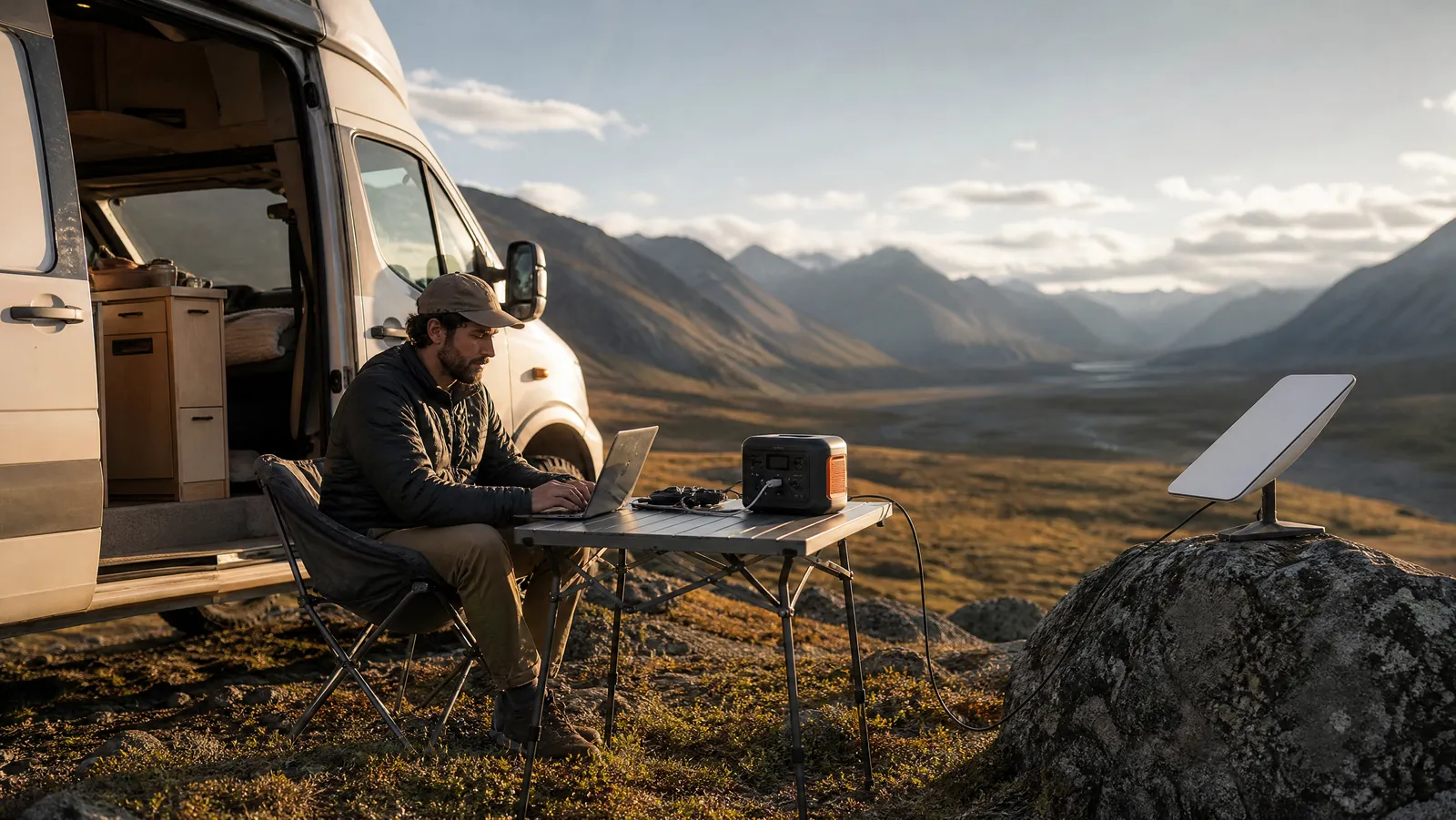

Reliable off-grid internet for remote work comes down to three things in 2026: a Starlink Mini for satellite internet almost anywhere with open sky, a LiFePO4 portable power station to run it, and a cellular or satellite backup for when the primary link fails. Build that stack and you can take video calls from a forest, a beach, or a van parked on a mountain pass.
We've spent the past year working from exactly those places, and this pillar guide is the map of everything we learned. It anchors a 10-article series covering every piece of the off-grid work puzzle — power stations, Starlink Mini, solar panels, van setups, satellite messengers, and the backup plans that keep deadlines safe when hardware doesn't cooperate.
One thing before we start: this is a guide for remote workers, not homesteaders. Every recommendation here is judged against one standard — can you join a 10 a.m. video call, upload your work, and hit your deadlines without a wall outlet or a cell tower nearby?
What Working Off-Grid Actually Requires: Internet + Power + a Backup
Working off the grid is a three-legged stool. Remove any leg and the whole thing tips over mid-meeting.
Leg one: internet. In 2026 that almost always means low-Earth-orbit satellite — practically speaking, Starlink — supplemented by cellular where coverage allows. Satellite is the only option that works in genuinely remote terrain; cellular is cheaper and lower-power where it exists. Our digital nomad WiFi and connectivity guide covers the on-grid side of this equation; this guide covers everything beyond the last cell tower.
Leg two: power. A satellite dish, a laptop, a phone, and a router all draw watts, and off-grid there is no outlet. You need stored energy (a power station or large power bank) plus a way to replenish it (solar, a vehicle alternator, or a planned trip back to town). The math is unforgiving: if your gear draws more per day than you can generate, your workweek has an expiration date.
Leg three: a backup. Hardware fails, skies cloud over, firmware updates land at the worst moment. Off-grid, there is no coffee shop down the street to run to. A second, independent connection path — and a way to send a message even with zero internet — is what separates a professional setup from a gamble.
The ten sections below walk through each leg in the order we'd build the system from scratch.
Portable Power Stations: Your Off-Grid Outlet
A portable power station is a big battery with an inverter, AC outlets, USB-C ports, and DC outputs — effectively a silent, fume-free generator you can use inside a tent or van. For remote work it is the foundation everything else sits on, which is why our roundup of the best portable power stations for remote work is the first deep-dive in this series.
Chemistry matters more than brand. Nearly every station worth buying in 2026 uses LiFePO4 (lithium iron phosphate) cells. According to UDPOWER's battery-life guide, LiFePO4 packs typically retain 80 percent or more of their capacity after 3,000+ charge cycles, which translates to about 8 to 12 years of regular use; older lithium-ion chemistries, by comparison, are typically rated for roughly 500–800 cycles before noticeable degradation. For a device you'll cycle daily off-grid, that difference is the whole ballgame.
Sizing is simple arithmetic. Capacity is measured in watt-hours (Wh). Runtime guides like Lipower's use a standard rule of thumb: multiply capacity by 0.85 to account for inverter losses, then divide by your device's wattage. A 300Wh station running a 60W laptop delivers roughly four hours of charging; a 1,000Wh station runs the same laptop for about 14 hours.
For a realistic solo work setup — laptop, phone, satellite dish, headlamp, camera batteries — we recommend thinking in daily energy budgets:
- Light day (laptop + phone, cellular internet): roughly 250–400Wh
- Standard day (laptop + phone + Starlink Mini for 8 hours): roughly 400–600Wh
- Heavy day (two devices, calls all day, cold weather): 700Wh or more
Buy for your heavy day, not your light one, and confirm the station's USB-C port can deliver 100W — that lets you skip the inverter entirely for laptops and cut those 15 percent losses.
Starlink Mini: Satellite Internet in a Backpack
The Starlink Mini is the product that made this entire guide possible. It's a flat satellite dish with a built-in WiFi router that Starlink's official spec sheet lists at 2.56 pounds with its kickstand and roughly 11.75 by 10.2 inches — the footprint of a thick laptop. It fits in a daypack, sets up in under five minutes, and needs nothing but open sky and DC power.
Speed is genuinely work-grade. SpaceX advertises typical downloads of 50–200 Mbps for Mini-class service, and real-world numbers back that up: SatelliteInternet.com's 2026 field review measured consistent speeds of 100–200 Mbps, peaking at 222 Mbps — on a day with overcast skies and light snow. That is more than enough for HD video calls, large file uploads, and cloud-based work. Latency on Starlink's low-Earth-orbit network is low enough that video meetings feel normal, which was never true of legacy geostationary satellite service.
Pricing dropped hard. As of July 2026, the Starlink Mini kit lists for $249.99, and SatelliteInternet.com reports a promotional $199 price for new Roam customers — a fraction of the $599 the hardware launched at. The barrier to entry for genuine work-anywhere satellite internet is now less than many nomads spend on a backpack.
The Mini has real limitations — it needs an unobstructed sky view, it consumes meaningful power (covered in its own section below), and heavy rain can degrade the signal. Our full Starlink Mini review in this series digs into months of field testing: obstruction maps, thermal behavior, packing strategies, and the accessories that actually matter.
If your work depends on connectivity, though, here's our short verdict: the Mini is the single most important piece of off-grid work gear released this decade.
Every Off-Grid Internet Option Compared
Starlink dominates the conversation, but it isn't the only answer — and the right choice depends on how far off-grid you actually go. Here's how the main off-grid internet options stack up for remote work in 2026:
| Option | Works where? | Work suitability | Power draw |
|---|---|---|---|
| Cellular (eSIM / phone tethering) | Within tower range | Excellent when signal is strong | Very low |
| 5G hotspot + external antenna | Fringe coverage areas | Good; antennas rescue weak signal | Low |
| Starlink Mini (LEO satellite) | Anywhere with open sky | Excellent, video-call capable | Moderate |
| Satellite messenger (inReach-class) | Anywhere with sky view | Text only — safety, not work | Minimal |
Cellular first, always. Where a usable signal exists, cellular wins on cost, power draw, and simplicity. A local eSIM plus a dedicated portable WiFi hotspot covers a surprising amount of "remote" territory — many national forests, coastlines, and rural regions have workable LTE or 5G on at least one carrier. If you're weighing connection types, our comparison of eSIM vs pocket WiFi vs local SIM breaks down when each makes sense.
Satellite when cellular ends. The moment coverage maps go white, Starlink Mini becomes the only option that supports actual work. Legacy geostationary satellite services still exist, but high latency makes video calls painful, and the hardware isn't portable.
Messengers as the floor. A satellite messenger can't carry a meeting, but it guarantees you're never truly unreachable — we cover these in the safety section below.
The takeaway: these aren't competing options. A serious setup layers two or three of them.
Van Life: The Mobile Office
A van is the natural habitat of the off-grid remote worker: it carries heavy batteries you'd never backpack with, its roof is prime solar real estate, and its alternator charges your power station every time you drive. That's why a van life internet setup is one of the most-requested topics in this series.
The core architecture we recommend has three tiers:
- Cellular as the daily driver. A roof- or window-mounted antenna feeding a 5G router pulls workable signal from towers your phone can't see. In our experience, this covers most paid-campsite and trailhead-parking workdays at the lowest cost per gigabyte.
- Starlink Mini for dead zones. The Mini's small size means it can live in a drawer and deploy in minutes — on the dash, on a magnetic roof mount, or on a pole to clear tree cover. No permanent installation required.
- One router to rule them all. The piece that makes a van feel like an office is a travel router that accepts multiple upstream connections — cellular, Starlink, campground WiFi — and presents one network to your devices. Your laptop, phone, and printer never need to know which pipe is active; you just switch upstreams and keep working.
Power is the easy part in a van. Between alternator charging while driving and a roof panel while parked, most van setups replenish faster than a solo worker can drain them. The failure mode isn't generation — it's parking. Trees that give you shade also block satellites, so the daily van-lifer's dilemma is choosing between a cool office and a connected one. We plan calls for open-sky parking and deep work for the shady spots.
Understanding Starlink Roam Plans
Hardware is half the Starlink decision; the service plan is the other half, and Starlink has reshuffled its lineup enough times that confusion is the norm. Here is the state of play — and why we keep a full Starlink Roam plans explained article in this series updated as prices move.
Roam is the nomad plan family. Unlike the Residential plan, which is tied to a home address, Roam is designed for portable use. As of July 2026, two tiers matter for remote workers:
- Roam 100GB. According to DISHYtech, Starlink doubled the old Roam 50GB plan's data to 100GB in January 2026 at no extra charge. The Mobile Internet Resource Center reports the plan's price then rose from $50 to $55 per month in a spring 2026 lineup change. For part-time off-grid workers, 100GB covers a lot of workdays, though video-heavy schedules can burn through it faster than you'd expect.
- Roam Unlimited. Per the Mobile Internet Resource Center, the renamed Roam Unlimited plan runs $175 per month in the US as of July 2026 — raised from $165 in the same spring 2026 price round — and includes international and in-motion use. That's the full-time nomad tier: no data anxiety, and coverage that follows you across borders.
How we'd choose: if you work off-grid one week per month or less, Roam 100GB is the value pick — budget your heavy uploads for cellular days and spend satellite data on calls. If the van or trail is your office, Roam Unlimited's price stings but removes the single biggest source of workday stress: watching a data meter during a client meeting.
Prices in this space have changed multiple times since 2024, so treat every figure as a snapshot and verify against your Starlink account before committing.
Solar Charging for Remote Work
Solar is what turns a three-day battery into an indefinite power supply — but only if you size it honestly. The marketing math and the real-world math are different animals, which is exactly what our roundup of the best portable solar panels tests for.
The 100W panel reality check. A folding "100W" panel is rated under laboratory conditions: full perpendicular sun, 77°F, zero haze. According to EcoFlow's 100W panel guide, real-world output in good weather works out to roughly 300–600Wh per day — the equivalent of 3 to 6 "peak sun" hours, depending on season and latitude. Cloud cover, morning shade, and panel angle all take their cut. Plan on the low end of that range and you'll rarely be disappointed.
Efficiency numbers to look for. Modern monocrystalline folding panels convert roughly 23–25 percent of incoming sunlight; Anker SOLIX, for example, advertises 25 percent conversion efficiency on its 100W portable panels. Higher efficiency means less fabric to pack for the same watts — a real consideration when the panel shares a bag with your office.
Matching panel to workload. Recall the daily budgets from the power station section: a standard Starlink-powered workday runs 400–600Wh. A single 100W panel can sustain that only in reliably sunny conditions — think desert Southwest, not Pacific Northwest. Our field rules:
- Weekend warrior: one 100W panel extends a 1,000Wh station by a day or two.
- Full workweek, sunny region: 200W of panel, repositioned toward the sun two or three times a day.
- Full workweek, mixed weather: 200W minimum plus a vehicle-charging fallback.
Angle matters more than people expect — laying a panel flat instead of tilting it toward the sun can cost a meaningful share of daily harvest. Chase the sun like your paycheck depends on it, because off-grid, it does.
Powering Starlink Mini Off-Grid
The Mini's power appetite is the most misunderstood spec in off-grid work, and getting it right determines whether your battery lasts a workday or dies before lunch. It's also where the practical question of running Starlink Mini from a power bank gets answered.
The official numbers. Starlink's spec sheet, as cited in Anker SOLIX's power-consumption guide, lists the Mini at an average draw of 20–40W, with about 15W at idle. Cold weather, obstructed sky, and heavy traffic push you toward the top of that range.
The 2026 firmware surprise. Independent field measurements — published by Starlink accessory specialist Dishy Mini Mounts, among others — show that after a late-January 2026 firmware update, real-world steady-state draw dropped to 16–20W (about 17W typical) — roughly 25 percent lower than earlier figures — with a startup spike near 60W for the first minutes while the dish acquires satellites. That startup peak matters: your power source must handle 60W bursts even if the average is modest.
What that means in watt-hours. At 17W typical draw, an eight-hour workday of continuous Starlink costs about 136Wh — before your laptop and phone. Run the runtime formula on a 256Wh power station (256 × 0.85 ÷ 17) and you get nearly 13 hours of dish time from a battery that weighs about as much as a hardcover book.
Skip the inverter. The Mini runs on DC, so powering it from an AC outlet through an inverter wastes energy twice. Many nomads instead run the Mini directly from a 100W USB-C power bank using a USB-C-to-DC trigger cable — a setup our dedicated article in this series tests in depth. If you're choosing that battery, our guide to selecting the biggest and best power bank for your phone and laptop explains the wattage and capacity specs that matter.
Staying Reachable Beyond Cell Coverage
Internet gets the attention, but reachability is the quieter professional requirement. When your Starlink is packed away and you're driving a forest road between camps, you are — for hours at a time — completely offline. For safety and for basic professional courtesy, that gap needs covering, which is why satellite messengers for off-grid safety earn a full article in this series.
What a satellite messenger does. Devices in the Garmin inReach class send and receive short text messages, share your live location, and — critically — carry a dedicated SOS function connected to a 24/7 emergency response coordination center. They use satellite networks designed for tiny data bursts, run for days or weeks on a charge, and work anywhere with a view of the sky.
The 2026 plan landscape is friendlier than it used to be. According to Garmin, current inReach subscription plans carry no annual contracts, and you can move between tiers or suspend service at no cost — ideal for seasonal off-gridders. Treeline Review's breakdown notes the mid-tier plan dropped from $35 to $30 per month as of 2026 while its included messages jumped from 40 to 150, and every tier includes SOS. Per HikingGuy's cost analysis, budget for a one-time $39.99 activation fee per device.
How remote workers actually use one. Ours does three jobs: a "running late, no signal, online by 2 p.m." message to a client when plans slip; a daily check-in so someone always knows our location; and an insurance policy for the scenarios nobody plans for. For solo workers especially, we consider this non-negotiable — the entire category costs less per month than a streaming bundle.
Planning an Off-Grid Workweek
Gear doesn't get work done — planning does. The difference between a productive week off-grid and a scramble back to town is almost always preparation, so this section is the condensed version of the full off-grid remote work checklist we maintain in this series.
1. Build an energy budget. List every device, its wattage, and its daily hours. Laptop (60W × 6h), Starlink Mini (17W × 8h), phone charges, lights. Total it, add a 25 percent margin, and compare against your battery capacity plus realistic solar harvest. If the math goes negative by Wednesday, change the plan now — not on Wednesday.
2. Build a data budget. On a capped Roam plan, know your burn rate: check your video platform's own bandwidth settings, and remember that cloud sync can quietly devour a day's allowance. Pre-download big files on grid connections and schedule uploads for cellular days when possible.
3. Scout sky and signal. Before committing to a spot, check carrier coverage maps for a cellular fallback and satellite-visibility at the actual campsite — a canyon-bottom paradise can be an office dead zone. The Starlink app's obstruction checker takes two minutes and prevents the worst surprises.
4. Do a full dress rehearsal. Run one complete workday from your driveway or a nearby park: every device on battery power, every call over satellite. Dress rehearsals surface the missing cable, the wrong adapter, the router setting — cheaply.
5. Set communication expectations. Tell your team your connectivity windows and your fallback ("if I miss the call, I'll message from my inReach"). Colleagues forgive a planned constraint; they don't forgive silence.
Do these five things and an off-grid week feels routine. Skip them and you'll learn each one the hard way, on a deadline.
Build Your Internet Backup Plan
Every experienced remote worker eventually learns the same lesson: one connection is zero connections. Weather degrades satellite, towers get congested, hardware fails at the least convenient moment. A real internet backup plan for remote work means layered, independent paths to the internet — and knowing in advance which one you'll reach for.
We build backups in three layers:
- Layer 1 — primary: Starlink Mini (truly off-grid) or the strongest local cellular network (fringe coverage). This carries your video calls and big uploads.
- Layer 2 — independent backup: a different technology, not a second copy of the first. If Starlink is primary, the backup is cellular — a phone loaded with a regional eSIM, or a dedicated hotspot on a different carrier than your phone. Our roundup of the best eSIMs for digital nomads covers plans you can install in minutes and activate only when needed, which makes them nearly free insurance.
- Layer 3 — communication of last resort: the satellite messenger. It won't join a meeting, but it can tell a client "connection down, deliverable coming tonight" — which, professionally, is 90 percent of what an outage requires.
Test the failover before you need it. A backup you've never used is a hypothesis, not a plan. Once a month, we deliberately work an hour on the backup connection: confirm the eSIM activates, the hotspot holds a call, the messenger's contacts are current.
Know your escalation point. Decide in advance the condition that sends you driving toward town — "if I can't restore a workable connection within two hours of a client deadline, I relocate." Making that rule while calm beats improvising it while panicking.
Redundancy sounds expensive until you price a single missed contract against a $30 eSIM sitting dormant on your phone.
Frequently Asked Questions
Can Starlink Mini really handle video calls?
Yes. SatelliteInternet.com's 2026 field testing measured 100–200 Mbps downloads, and Starlink's low-Earth-orbit network keeps latency low enough for natural conversation. The practical risks are obstruction and weather: a partially blocked sky causes brief dropouts that matter more on live calls than on downloads. Check the obstruction map before your first meeting, not during it.
How much battery do I need for a full off-grid workweek?
Start with the math: a standard day of laptop plus eight hours of Starlink Mini runs roughly 400–600Wh. Over five days that's 2,000–3,000Wh — far more than any sane person carries in batteries alone. The realistic answer is a 1,000Wh-class LiFePO4 station plus 200W of solar in decent sun, or vehicle charging to close the gap.
Do I need Starlink if I already have a 5G hotspot?
If you work in fringe coverage — rural areas with weak but present signal — a good hotspot and antenna may be all you need, at a fraction of the power draw. But cellular coverage ends abruptly, and beyond it a hotspot is a paperweight. The honest test: pull up your carrier's coverage map and overlay the places you actually want to work. White space on that map is the Starlink use case.
What does a complete off-grid work setup cost in 2026?
As of July 2026: Starlink Mini hardware lists at $249.99 ($199 on promotion for new Roam customers), service runs $55 per month for Roam 100GB or $175 for Roam Unlimited, and a satellite messenger plan starts around $30 per month at the mid-tier with a one-time $39.99 activation fee. Add a LiFePO4 power station and a folding solar panel, and a full independent office lands well under the cost of most laptops.
Does weather actually knock Starlink offline?
Heavy rain and dense cloud can degrade the signal, though SatelliteInternet.com's testers recorded 200+ Mbps through overcast skies and light snow — light weather is rarely the problem. Accumulating snow on the dish and severe storms are the real risks, and dish heating in freezing conditions may push power draw higher — another reason to leave headroom in your power budget.
The Bottom Line
Off-grid internet for remote work stopped being an experiment somewhere around the Starlink Mini's price drop, and in 2026 it's simply an engineering problem with a known solution: satellite internet for connectivity, LiFePO4 plus solar for power, and layered backups for the days entropy wins.
Start with the leg of the stool you're missing. If you've never worked beyond WiFi, begin with a power audit and a weekend dress rehearsal on battery. If you're already dabbling, the deep-dives in this series will help you refine each component — from picking the right power station to squeezing a full workday out of a power bank.
The mountains have decent download speeds now. We suggest taking the meeting somewhere worth muting yourself for.
Explore the full series
- Best Portable Power Stations for Remote Work (2026) — Sizing math, LiFePO4 chemistry, and the stations that keep a laptop and dish running from 9 to 5.
- Starlink Mini Review: Backpack Satellite Internet for Remote Work — Real-world speeds, power draw, plan pricing, and the honest failure modes of the backpack dish.
- Off-Grid Internet Options for Remote Workers: Every Way to Get Online — Cellular, 5G hotspots, LEO satellite, and messengers — every way to get online beyond the last cell tower, compared for real work.
- Van Life Internet Setup: Working Remotely From Your Van — The three-tier van office: cellular as the daily driver, Starlink Mini for dead zones, and one router presenting a single network.
- Starlink Roam Plans Explained: Which Plan for Remote Work? — Roam 100GB vs Unlimited: current pricing, pause rules, and how to pick the plan that survives a full workweek.
- Best Portable Solar Panels for Remote Work (2026) — Panels that actually refill a power station mid-workweek — with the honest real-world yield math.
- How to Run Starlink Mini From a Power Bank (Watt-by-Watt Guide) — USB-C PD, trigger cables and the watt-by-watt runtime math for powering the Mini off a battery instead of an inverter.
- Best Satellite Messengers for Remote Travel & Off-Grid Safety — Two-way messengers, one-way beacons and the subscription costs behind the reachability layer for when the dish is packed away.
- The Off-Grid Remote Work Checklist: Prep a Workweek Anywhere — A timeline-based prep checklist: energy budget, data budget, the dress rehearsal, and the on-site first hour.
- Internet Backup Plans for Remote Workers: Never Miss a Deadline — The three-layer redundancy model, scenario playbooks and the five-minute failover drill for when the connection dies.
About the Author