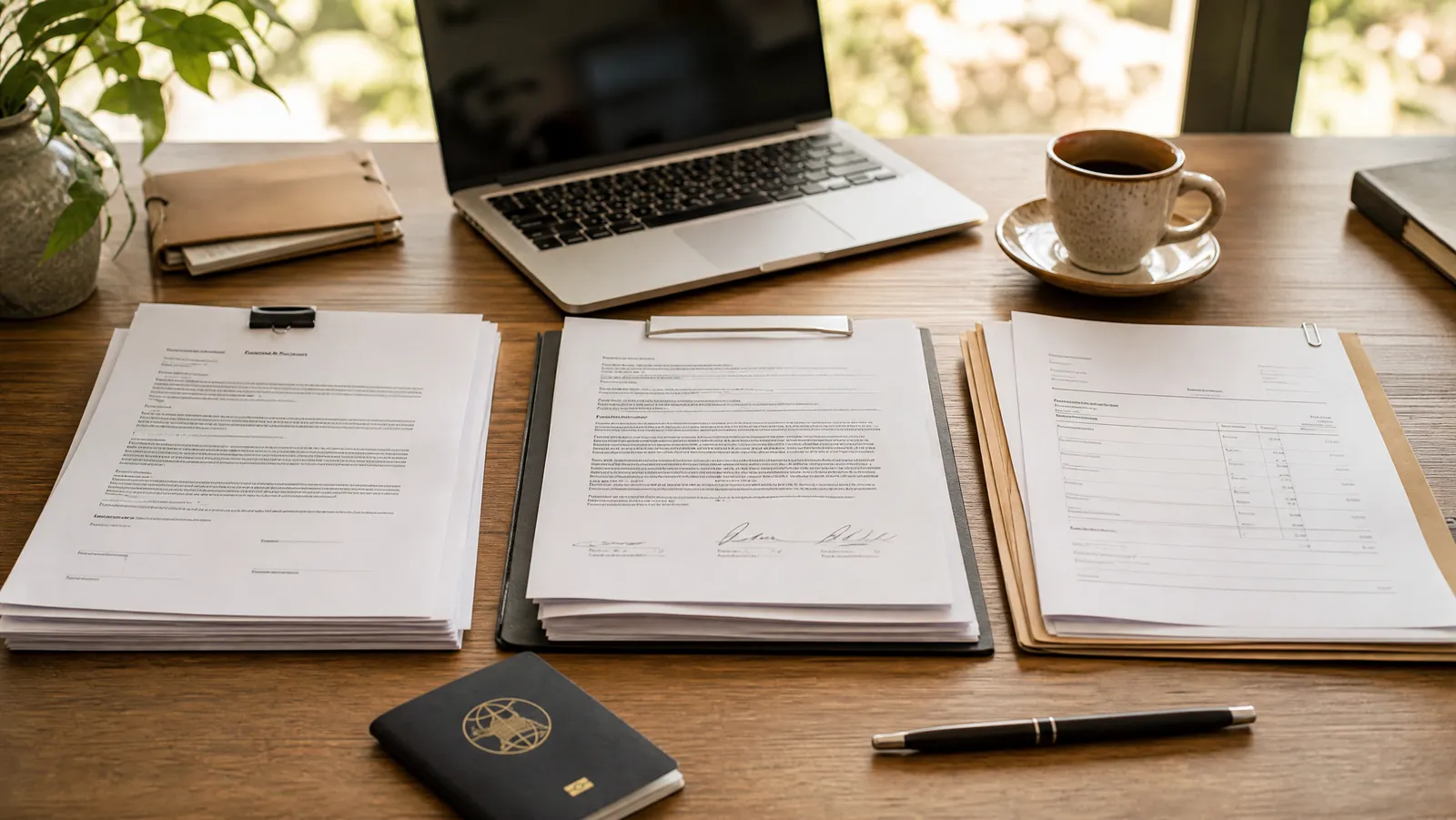
How to Organize Your Digital Nomad Backpack: The Complete System
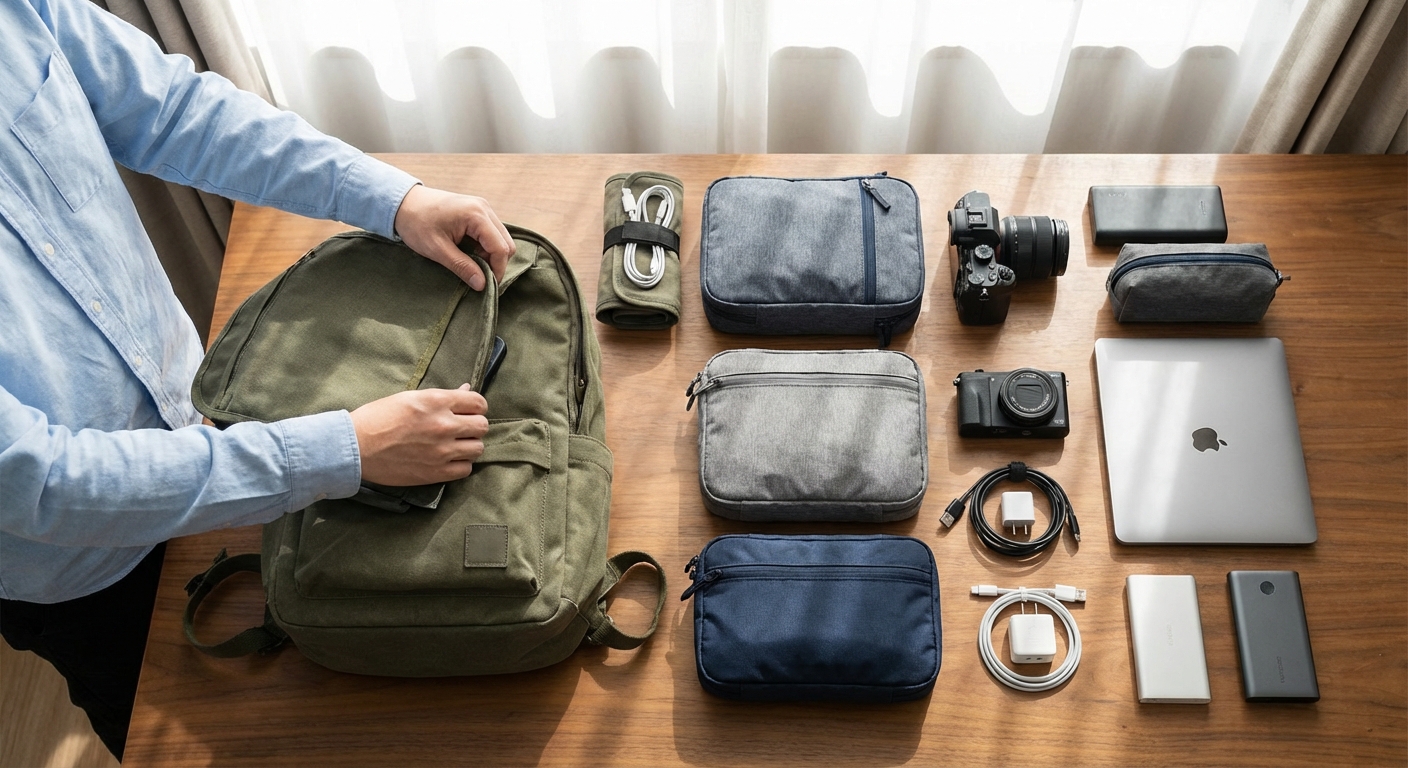

A disorganized backpack wastes time, causes frustration, and leads to overpacking. You dig for items you know you packed. You can't find your adapter when you need it. You pack "just in case" items because you're not sure what's already in there.
Proper organization transforms this chaos into a system. Every item has a home. Packing and unpacking takes minutes. You know exactly what you have and where it is.
This guide covers the complete organization system for digital nomad backpacks—from the macro (bag zones) to the micro (cable management).
Quick Navigation:
- The Zoning System
- Packing Cube Strategy
- Tech Organization
- The Daily Carry Separation
- Packing and Unpacking Routines
- Maintaining Organization Long-Term
The Zoning System
Think of your backpack as zones, not a single cavity to fill.
Zone 1: Tech (Protected, Accessible)
Location: Dedicated laptop compartment or designated sleeve Contents: Laptop, tablet, documents
Why separate: Your laptop is your income. It deserves dedicated protection and easy airport access. Never bury it under clothes.
Zone 2: Daily Access (Front Pocket / Top)
Location: Front pocket, top of main compartment Contents: Items needed during travel—headphones, snacks, charger, pen, passport
Why separate: You'll access these without unpacking everything. Keep them reachable.
Zone 3: Clothes (Main Compartment - Majority)
Location: Main compartment, accessed via clamshell opening Contents: Packing cubes with all clothing
Why separate: Clothes are accessed once or twice daily. They can be less accessible than daily items.
Zone 4: Toiletries and Accessories (Secondary Pocket / Bottom)
Location: Secondary pocket or bottom of main compartment Contents: Toiletry bag, first aid, rarely-used accessories
Why separate: These items need access at accommodations, not during transit. Deeper storage is fine.
Visual Zone Layout
┌─────────────────────────────────────┐
│           ZONE 1: TECH              │ ← Laptop sleeve (back panel)
│         (protected, quick access)   │
├─────────────────────────────────────┤
│           ZONE 2: DAILY             │ ← Front pocket / top pocket
│        (headphones, snacks, docs)   │
├─────────────────────────────────────┤
│                                     │
│           ZONE 3: CLOTHES           │ ← Main compartment
│          (packing cubes)            │
│                                     │
├─────────────────────────────────────┤
│        ZONE 4: TOILETRIES           │ ← Bottom / secondary pocket
│         (rarely accessed)           │
└─────────────────────────────────────┘
Packing Cube Strategy
Packing cubes are non-negotiable for organized travel. They transform a bag into a modular system.
The Basic Cube System
| Cube | Contents | Size |
|---|---|---|
| Cube 1 | T-shirts, casual tops | Medium |
| Cube 2 | Underwear, socks | Small |
| Cube 3 | Pants, shorts | Medium |
| Cube 4 | Layers, bulky items | Compression |
This four-cube system handles a complete capsule wardrobe.
Compression Cubes: When to Use Them
Compression cubes have a second zipper that squeezes contents down:
Use for:
- Bulky items (jackets, hoodies)
- Maximizing space in small bags
- Separating dirty laundry
Skip for:
- Items that wrinkle (dress shirts)
- Already compact items
- When you're not space-constrained
The Color-Coding Method
Assign colors to cube contents:
- Blue cube: Tops
- Green cube: Bottoms
- Gray cube: Base layers
- Red cube: Dirty laundry
You'll grab the right cube without thinking.
One Cube = One Drawer
When you arrive at accommodation:
- Pull cubes from bag
- Place cubes in drawer (or on shelf)
- You're unpacked
Repacking is the reverse. 5 minutes total.
Recommended Packing Cubes
Eagle Creek Pack-It Specter Set: Ultralight (3 oz for set), translucent fabric, excellent quality. The standard recommendation.
Peak Design Packing Cubes: Premium option with clean/dirty separation. Heavier but more functional.
Amazon Basics Packing Cubes: Budget option. Works fine, less durable long-term.
For complete cube recommendations, see our ultimate packing list.
Tech Organization
Your tech gear needs its own organizational system within the larger bag system.
The Tech Pouch as Control Center
A dedicated tech pouch keeps cables, chargers, and accessories organized:
Contents:
- Laptop/phone charger (or GaN all-in-one)
- USB cables (2-3)
- Power bank
- Universal adapter
- Earbuds
- USB hub
- SD cards
- Small accessories
Location: Zone 2 (daily access) or top of Zone 3
For tech pouch recommendations, see our tech pouch guide.
The Cable Management System
Cables tangle and disappear. Prevent this:
Option 1: Elastic loops
- Each cable has designated loop in tech pouch
- Never remove cables from loops when not in use
Option 2: Cable ties
- Velcro ties keep cables coiled
- Color-code ties to match cable function
Option 3: Cable rolls
- Small pouches for each cable type
- More space but more organization
The Daily Tech Kit
Separate what you carry daily from what stays at accommodation:
Daily (in daypack):
- Laptop + charger
- Phone charger
- Headphones
- 1-2 cables
- Power bank (if needed)
Stays behind:
- Spare cables
- Adapters not needed today
- External drives
- Backup batteries
Laptop Stand and Accessories
If you carry a laptop stand or external keyboard:
- Laptop stand: Alongside laptop in Zone 1
- Keyboard: In own sleeve or with clothes (protected)
- Mouse: Tech pouch or quick-access pocket
For ergonomic setup recommendations, see our laptop stand guide.
The Daily Carry Separation
Digital nomads live in two modes: transit mode and work mode. Your organization should support both.
Transit Mode: Everything Together
When moving between locations:
- Everything is in the main backpack
- Daily items in accessible positions
- Ready to grab and go
Work Mode: Daypack Extracted
When settled somewhere:
- Main bag stays at accommodation
- Daypack holds daily work essentials
- Main bag becomes "closet and storage"
The Extraction Routine
Each morning:
- Grab daypack from main bag (or separate bag)
- Ensure it contains: laptop, charger, headphones, cables, water bottle
- Add any day-specific items
- Leave main bag organized for return
The Return Routine
Each evening:
- Empty daypack completely
- Return all items to designated homes
- Charge devices as needed
- Reset for tomorrow
This routine prevents gradual disorganization.
Packing and Unpacking Routines
Consistent routines maintain organization over months of travel.
The Initial Pack (Before First Trip)
- Lay everything out: All items you plan to pack, visible
- Audit: Remove duplicates, unnecessary items
- Weigh: Total weight should be under 20 lbs
- Assign homes: Every item gets a designated location
- Document: Take photo of packed bag for reference
- Pack: Put everything in its place
The Transit Pack (Moving Locations)
- Empty all cubes and pouches: Return everything to proper place
- Audit as you pack: Anything you haven't used goes on "reconsider" list
- Follow the zones: Tech → daily → clothes → toiletries
- Check all pockets: Nothing left behind
- Final weight check: If heavier than start, evaluate additions
The Quick Unpack (Arrival)
- Laptop out first: Set up charging if needed
- Tech pouch accessible: You'll need adapter immediately
- Clothes cubes to drawer/shelf: Instant unpacking
- Toiletry bag to bathroom: Hang if possible
- Done: 5-10 minutes max
The Work Setup (Daily)
- Extract daypack contents: Already organized
- Find workspace: Café, coworking, accommodation
- Deploy: Laptop, stand (optional), charger, headphones
- Work: Everything within reach
The Weight Distribution Strategy
How you load your bag affects comfort:
Heavy Items Near Your Back
- Laptop (heaviest item): Against back panel
- Power bank: If heavy, center of bag
- Water bottle: Side pocket or center
Light Items Away From Back
- Clothes: Fill remaining space
- Toiletries: Can be anywhere
- Empty space: Don't have any (use compression)
Balance Left-Right
Uneven weight creates discomfort:
- Distribute evenly across bag width
- Use side pockets symmetrically
- Check by lifting: should feel balanced
Maintaining Organization Long-Term
The challenge isn't getting organized—it's staying organized over months of travel.
The Weekly Audit
Every week, spend 5 minutes:
- Check each cube: Everything in correct place?
- Audit tech pouch: Any tangled cables? Dead batteries?
- Empty all pockets: Find the random items
- Note anything missing: Add to shopping list
The Monthly Purge
Every month:
- What haven't you used?: Consider shipping home or donating
- What's wearing out?: Replace before it fails
- What's accumulated?: Souvenirs, random purchases—evaluate
- Reset to baseline: Back to your documented starting state
The Laundry Reset
Laundry day is organization day:
- All clothes out of cubes
- Wash everything (or sort clean/dirty)
- Re-fold and re-pack intentionally
- Fresh start each week
Signs You're Losing Organization
Watch for these warning signs:
- "I know I packed it but can't find it"
- Random items loose in main compartment
- Cables tangled in tech pouch
- Bag weight creeping up
- Packing takes longer each time
When you notice these, trigger a full reset.
Common Organization Mistakes
Mistake 1: Over-Organizing
Too many pouches and subdivisions:
- Creates extra weight
- Takes longer to pack/unpack
- Items get lost in the system
Solution: Minimum necessary organization. 4-5 cubes/pouches total.
Mistake 2: No Designated Homes
Items end up wherever they fit:
- Can't find things quickly
- Packing becomes stressful
- Disorganization compounds
Solution: Every single item has one home. Always returns there.
Mistake 3: Ignoring the Daily Cycle
Treating the bag as static storage:
- Daily items buried
- Transit becomes frustrating
- Items not returned to proper spots
Solution: Design for daily extraction and return.
Mistake 4: Filling Every Space
Packing "because there's room":
- Weight creeps up
- Flexibility disappears
- Organization becomes harder
Solution: Empty space is good. It's room for flexibility.
FAQ
How many packing cubes do I need?
Most digital nomads use 3-4 cubes:
- 1 medium for tops
- 1 small for base layers
- 1 medium for bottoms
- 1 compression for layers/laundry
Should I roll or fold clothes?
Roll: Casual items, t-shirts, underwear—saves space, reduces wrinkles Fold: Dress shirts, structured items—maintains shape
Most nomads roll everything except items that need to stay crisp.
How do I handle dirty laundry?
Options:
- Dedicated dirty laundry cube (compression)
- Separate compartment in Peak Design cubes
- Plastic bag inside a cube
- Just mix (if doing laundry frequently)
What about stuff that doesn't fit the system?
Some items don't fit cubes:
- Shoes: Side pockets or shoe bag
- Jacket: Wear it or use compression cube
- Bulky chargers: Tech pouch or loose in main compartment
Don't force everything into cubes—some items are fine loose.
How long does organization setup take?
Initial setup: 30-60 minutes Daily maintenance: 2-5 minutes Weekly audit: 5-10 minutes Monthly reset: 15-30 minutes
The investment pays dividends daily.
The Organization Checklist
Use this checklist when setting up your system:
Zones Defined
- Zone 1: Tech/laptop location clear
- Zone 2: Daily access items identified
- Zone 3: Clothes area assigned
- Zone 4: Toiletries location set
Packing Cubes
- Cubes selected (3-4 total)
- Contents assigned to each
- Color or label system in place
- One cube for dirty laundry
Tech Organization
- Tech pouch selected
- Cables have designated spots
- Daily vs. stored tech separated
- Charging routine established
Routines Documented
- Daily extraction routine clear
- Return routine established
- Weekly audit scheduled
- Monthly reset planned
The Verdict
Organization isn't about having the perfect system—it's about having any consistent system.
Start simple: 4 packing cubes, 1 tech pouch, consistent zones. That's enough.
Maintain consistently: The 5-minute daily reset matters more than the initial setup.
Iterate based on experience: Your system will evolve. That's fine. The structure remains.
A well-organized backpack means:
- Packing in 10 minutes
- Finding any item in seconds
- Never forgetting where something is
- Mental clarity that extends to your work
The tools (cubes, pouches, bags) matter less than the habits (routines, designated homes, regular resets).
Build the system. Follow the routines. Enjoy the clarity.
Related guides:
- The Ultimate Digital Nomad Packing List
- Best Digital Nomad Backpacks
- Best Tech Pouches and Organizers
- One-Bag Travel Guide
Eagle Creek Specter Cubes - Best Overall Cubes

Eagle Creek Pack-It Specter Cube Set
Eagle Creek Specter Cubes Best Overall Cubes
Eagle Creek's Specter series uses silnylon fabric that weighs almost nothing—the entire 3-cube set weighs just 3 oz.
Eagle Creek's Specter series uses silnylon fabric that weighs almost nothing—the entire 3-cube set weighs just 3 oz. The translucent material lets you identify contents without opening. Multiple sizes (full, half, quarter) create a modular system that adapts to any bag. The quality zipper handles thousands of uses. These are the packing cubes experienced travelers settle on after trying cheaper alternatives.
What We Like
❝After trying 4 different cube brands, these are the keepers. Light, durable, and the translucent fabric is genius.❞
Peak Design Cubes - Best Premium System

Peak Design Packing Cube Set
Peak Design Cubes Best Premium System
Peak Design applies their signature engineering to packing cubes.
Peak Design applies their signature engineering to packing cubes. The dual-compartment design separates clean and dirty clothes in one cube. Expansion zips add 50% more capacity when needed. The tear-away labels let you customize organization. Built from recycled materials with Peak Design's legendary build quality. Premium priced but delivers premium functionality for travelers who want the best.
What We Like
❝The clean/dirty separation is brilliant. No more wondering which clothes are worn. Worth the premium.❞
Osprey Farpoint 40 - Best Backpack for Organization

Osprey Farpoint 40
Best Backpack for Organization
The Farpoint 40 has become the default digital nomad backpack for good reasons.
The Farpoint 40 has become the default digital nomad backpack for good reasons. The clamshell opening provides full access to contents—no top-loading frustration. The laptop compartment is separate and padded. The 40L capacity maximizes carry-on limits. Stowable straps let you check it when needed. Osprey's lifetime warranty backs their quality. The bag that makes one-bag organization actually possible.
What We Like
❝Everything fits, it carries comfortably for miles, and the organization just works. Two years in, still my daily bag.❞
Peak Design Tech Pouch - Best Cable Organization

Peak Design Tech Pouch
Best Cable Organization
The origami-style interior transforms cable chaos into ordered calm.
The origami-style interior transforms cable chaos into ordered calm. Opens to 180° so every item is visible at once. Weatherproof shell protects electronics from spills and rain. The structured design maintains shape whether full or empty. Every cable, adapter, and charger has its place. The tech organization solution that converts skeptics into believers.
What We Like
❝Everything has a place. Setup at cafés takes seconds. I know exactly where every cable is.❞
Review of Our Favorite 3
Eagle Creek Specter Cubes Best Overall Cubes
Eagle Creek's Specter series uses silnylon fabric that weighs almost nothing—the entire 3-cube set weighs just 3 oz.
Peak Design Cubes Best Premium System
Peak Design applies their signature engineering to packing cubes.
Best Backpack for Organization
The Farpoint 40 has become the default digital nomad backpack for good reasons.
About the Author